
MacBook Pro 14-inch A2442 (M1 Pro/Max, 2021) Repair Singapore
A MacBook Pro 14-inch A2442 repair starts at S$80 nett here, a 100-day warranty, most standard repairs done the same day, and your data untouched in most jobs. 15 years fixing MacBook devices. Message us before you come and we'll confirm the part for your MacBook Pro 14-inch A2442 is in stock.
100-Day Warranty · Most Repairs Done Same Day · Data Untouched On Most Jobs.


MacBook Pro 14-inch A2442 Repair Services & Price
| Repair | Parts grade | Warranty | Price | Enquire |
|---|---|---|---|---|
| MacBook Pro 14-inch A2442 Battery Replacement | Original Grade | 100 days | S$105 | WhatsApp us |
| MacBook Pro 14-inch A2442 Charging Port Replacement | Original Grade | 100 days | S$95 | WhatsApp us |
| MacBook Pro 14-inch A2442 Flexgate Repair | 100 days | S$200 | WhatsApp us | |
| MacBook Pro 14-inch A2442 Keyboard Replacement | Original Grade | 100 days | S$130 | WhatsApp us |
| MacBook Pro 14-inch A2442 Screen Repair | Original Grade | 100 days | S$550 | WhatsApp us |
| MacBook Pro 14-inch A2442 Motherboard Repair | 100 days | On quote | WhatsApp us | |
| MacBook Pro 14-inch A2442 Screen Glass Replacement | 100 days | S$550 | WhatsApp us | |
| MacBook Pro 14-inch A2442 Speaker Replacement | 100 days | On quote | WhatsApp us | |
| MacBook Pro 14-inch A2442 Touchpad Replacement | Original Grade | 100 days | S$120 | WhatsApp us |
| MacBook Pro 14-inch A2442 Water Damage Repair | Chemical Wash | 100 days | S$80 | WhatsApp us |
About the MacBook Pro 14-inch (M1 Pro or M1 Max, 2021): What Matters for a Repair
The MacBook Pro 14-inch (M1 Pro or M1 Max, 2021) runs Apple's M1 Pro or M1 Max chip, charges through MagSafe 3, plus USB-C and has the Magic Keyboard. Those three details decide most of what a repair on it involves, so they're the first things we check.
- Family and size
- MacBook Pro 14-inch
- Years sold
- 2021
- Chip
- Apple M1 Pro or M1 Max
- Display
- Liquid Retina XDR (mini-LED)
- Charging
- MagSafe 3, plus USB-C
- Keyboard
- Magic Keyboard (scissor-switch)
- Battery
- Glued in
- Storage
- SSD soldered to the logic board and encrypted to it
What We Fix Most on the MacBook Pro 14-inch (M1 Pro or M1 Max, 2021)
- Battery replacement: the battery is glued in, so it comes out slowly and carefully. Apple rates it for 1,000 charge cycles.
MacBook Repair Services in Singapore
The prices above are for the MacBook Pro 14-inch A2442. To compare a repair across every MacBook we handle, open the service.
- MacBook Battery Replacement
- MacBook Charging Port Replacement
- MacBook Flexgate Repair
- MacBook Keyboard Replacement
- MacBook LCD Display Cable Replacement
- MacBook Motherboard Repair
- MacBook Screen Glass Replacement
- MacBook Screen Repair
- MacBook Speaker Replacement
- MacBook Touchpad Replacement
- MacBook Water Damage Repair
Explore More MacBook Repairs
Per-model prices, warranty and the full list of repairs for each one. All 54 models we repair, also listed on the MacBook repair page.
- MacBook Air: MacBook Air 15-inch A3114 Repair | MacBook Air 15-inch A2941 Repair | MacBook Air 13-inch A3113 Repair | MacBook Air 13-inch A2681 Repair | MacBook Air 13-inch A2337 Repair | MacBook Air 13-inch A2179 Repair | MacBook Air 13-inch A1932 Repair | MacBook Air 13-inch A1466 Repair | MacBook Air 13-inch A1369 Repair | MacBook Air 11-inch A1465 Repair | MacBook Air 11-inch A1370 Repair | MacBook Air A3241 (15-inch M4 2025) Repair | MacBook Air A3240 (13-inch M4 2025) Repair | MacBook Air 13-inch A3449 Repair | MacBook Air 15-inch A3448 Repair
- MacBook Pro: MacBook Pro Retina 15-inch A1398 Repair | MacBook Pro Retina 13-inch A1502 Repair | MacBook Pro Retina 13-inch A1425 Repair | MacBook Pro 17-inch A1297 Repair | MacBook Pro 16-inch A2991 Repair | MacBook Pro 16-inch A2780 Repair | MacBook Pro 16-inch A2485 Repair | MacBook Pro 16-inch A2141 Repair | MacBook Pro 15-inch A1990 Repair | MacBook Pro 15-inch A1707 Repair | MacBook Pro 15-inch A1286 Repair | MacBook Pro 14-inch A2992 Repair | MacBook Pro 14-inch A2918 Repair | MacBook Pro 14-inch A2779 Repair | MacBook Pro 14-inch A2442 Repair | MacBook Pro 13-inch Touch Bar A2159 Repair | MacBook Pro 13-inch Touch Bar A1989 Repair | MacBook Pro 13-inch Touch Bar A1706 Repair | MacBook Pro 13-inch Non Touch Bar A1708 Repair | MacBook Pro 13-inch A2338 Repair | MacBook Pro 13-inch A2289 Repair | MacBook Pro 13-inch A2251 Repair | MacBook Pro 13-inch A1278 Repair | MacBook Pro A3403 (16-inch Late 2024) Repair | MacBook Pro A3112 (14-inch Late 2024) Repair | MacBook Pro A3401 (14-inch Late 2024) Repair | MacBook Pro A3186 (16-inch Late 2024) Repair | MacBook Pro A3185 (14-inch Late 2024) Repair | MacBook Pro 14-inch A3434 Repair | MacBook Pro 14-inch A3426 Repair | MacBook Pro 14-inch A3427 Repair | MacBook Pro 16-inch A3428 Repair | MacBook Pro 16-inch A3429 Repair | MacBook Pro Retina 13-inch A1502 (2013-2014) Repair | MacBook Pro Retina 15-inch A1398 (2013-2014) Repair
- MacBook: MacBook 12-inch A1534 Repair | MacBook Neo A3404 (13-inch) Repair | Macbook Air A3241 (15-inch 2025) Repair | Macbook Air A3240 (15-inch 2025) Repair
Can't Find Your Model?
Don't see your exact MacBook model or the repair you need? WhatsApp us a photo of your device and we'll have a check, then send a transparent nett quote.
Why Citri Mobile for MacBook Pro 14-inch A2442 repair?
- 🏅
Quality parts & diagnostics
Quality Original Grade parts, professional tools and full diagnostics for MacBook Pro 14-inch A2442. Genuine Apple parts are reserved for eligible iPhone repairs under the Apple IRP programme. - 🏆
Carousell Best Service Provider
Carousell 2024 & 2025 award winner. - 🤝
Carousell Preferred Partner
Trusted by thousands across Singapore for MacBook Pro 14-inch A2442 repair. - ✅
CaseTrust Accredited
Recognised for fair and ethical business practices, transparent pricing. - ⭐
5.0★ · 3,000+ reviews
Across Google and Carousell, consistently rated for fast, reliable, honest repairs at all four shops. - ⚡
Same-day on most repairs, fair nett pricing
Most standard MacBook Pro 14-inch A2442 repairs are completed the same day and board-level work is quoted after a free diagnosis — always at wholesale rates with no hidden charges. - 🛡️
100-day warranty
Covered by a 100-day warranty, so you stay protected after you leave. - 🔒
Your data stays safe
Photos, apps and settings are kept intact for most repairs.
Apple Independent Repair Provider Testimonials Our locations
Before You Send In Your MacBook Pro 14-inch A2442 for Repair
A quick checklist so your MacBook Pro 14-inch A2442 repair goes smoothly. We don't wipe your device for most repairs, but a little prep helps.
- Back up important data where possible. Most repairs are data-safe, but back up your files first, just in case.
- Bring your charger. If the device has a charging or no-power issue, bring the charger so we can test it.
- Remove sleeves, covers & USB accessories. Take off laptop sleeves, hard-shell covers and any plugged-in USB accessories before handing it over.
- Don't erase the device. Leave your data as-is unless the technician specifically advises otherwise.
- Mention liquid or impact. Tell the technician whether there was any liquid exposure or a recent impact — it helps us diagnose faster.
Where to Repair Your MacBook Pro 14-inch A2442 in Singapore
Walk in to any of our 4 repair shops for your MacBook Pro 14-inch A2442 repair. We're open 11am–9pm daily, no appointment needed — message us first if you want us to confirm your part is in stock.
-
Chinatown
People’s Park Centre, #01-47, Singapore 058357 11:00 AM – 9:00 PM · daily -
Tampines
503 Tampines Central 1, #01-299, Singapore 520503 11:00 AM – 9:00 PM · daily -
Jurong
CarousellMOBILE Jurong Point, #B1-34A, Singapore 648886 11:00 AM – 9:00 PM · daily -
Yishun
Blk 846 Yishun Street 81, #01-3643, Singapore 760846 11:00 AM – 9:00 PM · daily
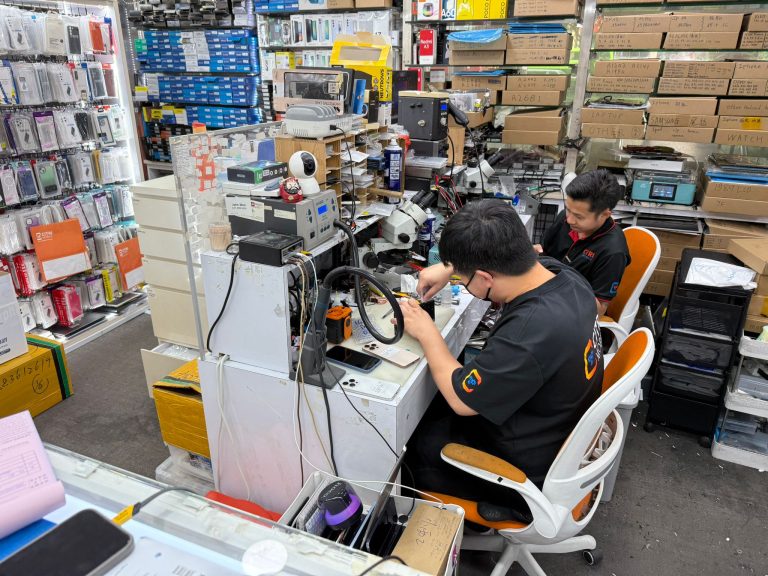
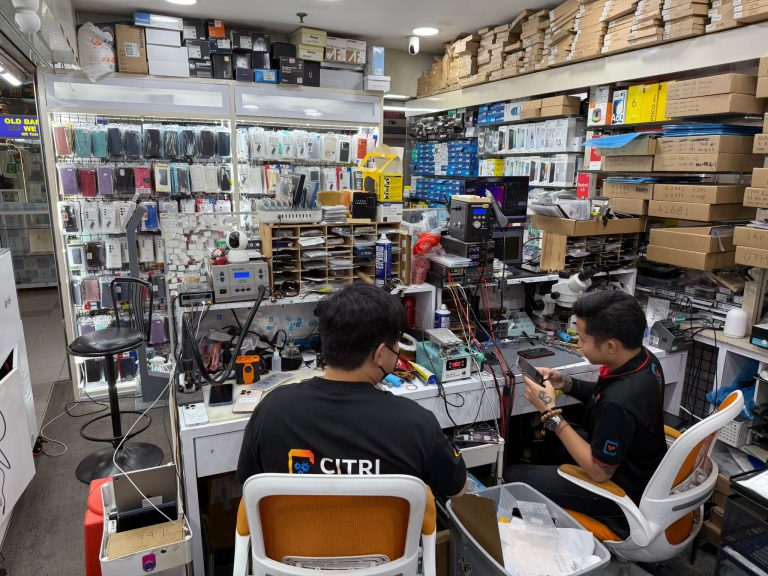
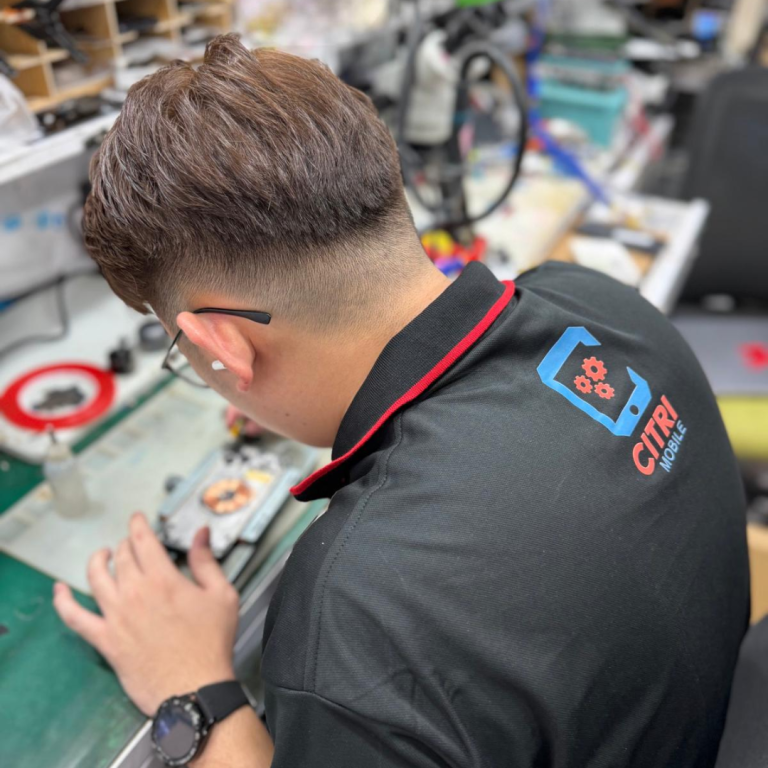
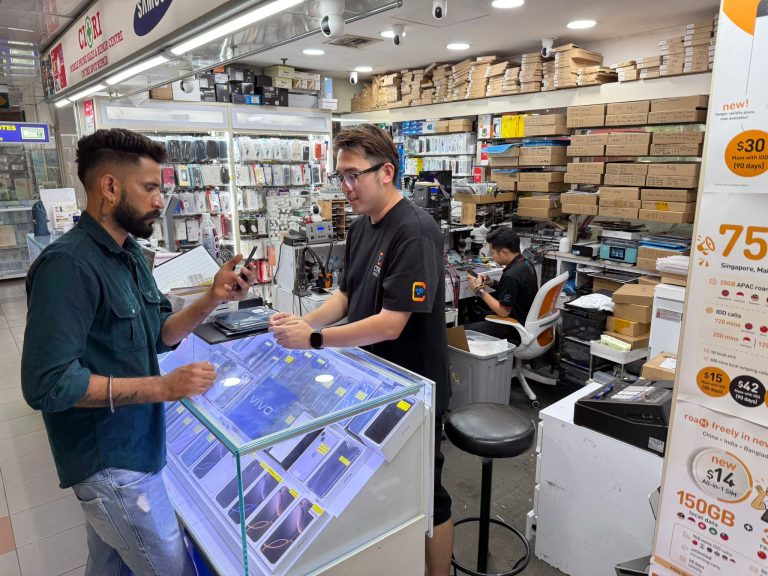
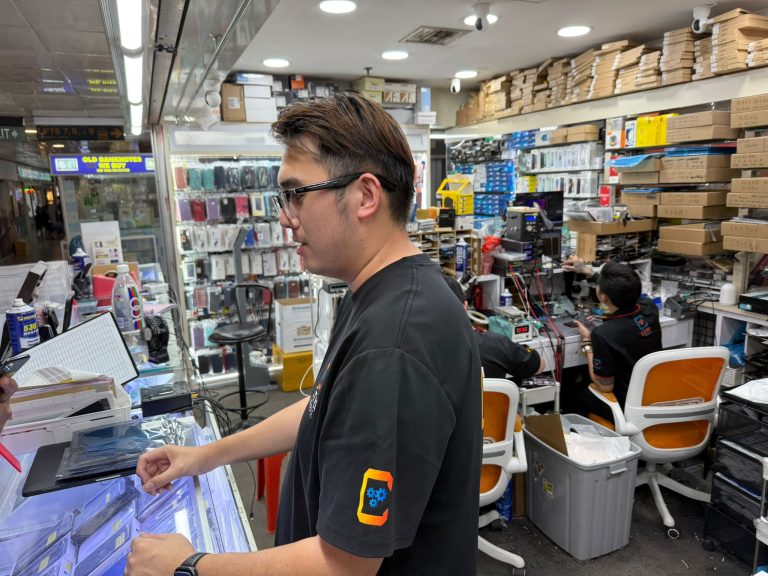
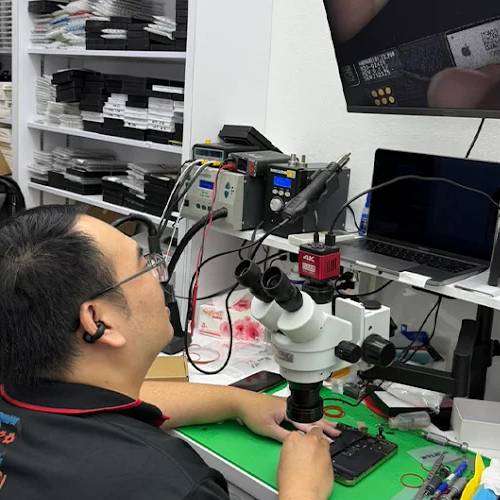
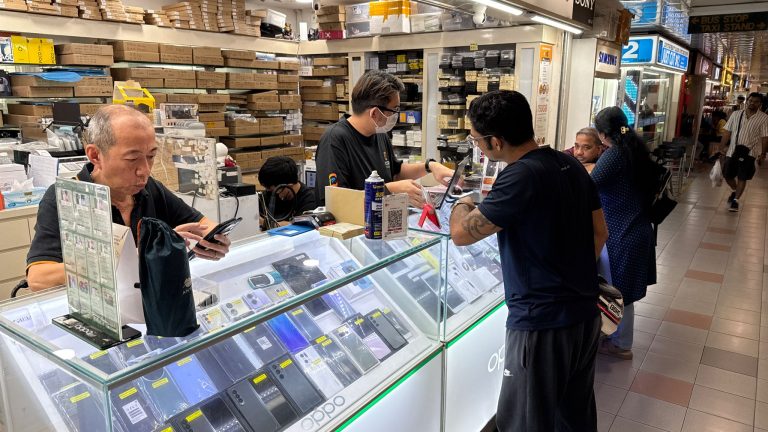
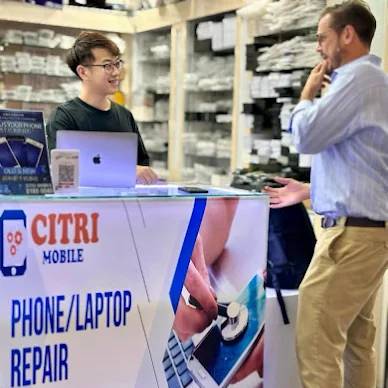
Inside Our Workshop: MacBook Pro 14-inch A2442 repair in Singapore
FAQ For MacBook Pro 14-inch A2442 Repair
- 1. What should I do if my MacBook Pro 14-inch A2442 won't turn on?
- We understand how frustrating it can be when your MacBook won't power up. First, check if the issue might be with the power supply or battery. For detailed steps, you can refer to our blog on what to do when your MacBook Pro or Air won’t turn on. If the problem persists, consider bringing it to Citri Mobile for a free diagnosis.
- 2. My MacBook Pro 14-inch A2442 is running very slow. What can I do?
- It's incredibly annoying when your device slows down, especially when you need it the most. This could be due to various reasons including software issues or a failing hard drive. Check out our insights on common causes and fixes for a slow MacBook. For a thorough check-up, visit Citri Mobile where we can diagnose the issue for free.
- 3. I spilled water on my MacBook Pro 14-inch A2442. What should I do?
- Water damage can be quite alarming. First, turn off your MacBook immediately and disconnect any power source. Do not attempt to turn it back on. For more detailed steps, read our guide on MacBook liquid damage repair in Singapore. We recommend you bring your MacBook to Citri Mobile for a professional repair service.
- 4. How can I tell if my MacBook Pro 14-inch A2442 needs a battery replacement?
- If your MacBook's battery is draining faster than usual, it might be time for a replacement. Symptoms can include the device shutting down unexpectedly or the battery status indicating "service battery." For more signs, visit our blog on how to tell if your MacBook battery needs replacement. Drop by Citri Mobile for a quick battery check and replacement.
- 5. What are the options if my MacBook Pro 14-inch A2442's screen is cracked or malfunctioning?
- Dealing with a cracked or faulty screen can be distressing. For a detailed diagnosis and repair, you can read about common screen issues on our blog in our MacBook screen issues guide. Citri Mobile specializes in original-grade screen repairs and replacements, ensuring your MacBook returns to its pristine condition.
- 6. My MacBook Pro 14-inch A2442 keyboard is unresponsive. What should I do?
- Keyboard issues can significantly hinder your productivity. This could be due to dust, debris, or a hardware malfunction. For troubleshooting tips, check out our blog on non-responsive MacBook keyboards. For professional repair, visit Citri Mobile where we can provide a same-day service.
- 7. How do I prepare my MacBook Pro 14-inch A2442 for repair?
- Preparing your MacBook for repair is crucial to protect your data and expedite the service. Ensure you back up all important files. For a comprehensive pre-repair checklist, visit our blog on MacBook servicing: pre and post-repair checklist. Bring your device to Citri Mobile, and we'll handle the rest.
- 8. What should I do if my MacBook Pro 14-inch A2442 is overheating?
- Overheating can pose a serious risk to your MacBook's functionality and your safety. Common causes include excessive dust buildup or malfunctioning fans. For more information on how to resolve overheating issues, read our blog on MacBook overheating. Consider having your MacBook professionally checked at Citri Mobile.
- 9. Can Citri Mobile handle motherboard repairs for MacBook Pro 14-inch A2442?
- Yes, at Citri Mobile, we are equipped to handle complex motherboard repairs. Motherboard issues can be intricate and require expert attention. For an overview of difficult MacBook repair scenarios, you might find our blog in our repair guide helpful. Visit us for a comprehensive diagnostic and repair service.
- 10. What warranty and support options are available for my MacBook Pro 14-inch A2442?
- Understanding your warranty and support options is important for managing repairs and costs. For official Apple support, you can visit AppleCare+ for MacBook. Additionally, Citri Mobile offers warranty on eligible completed repairs, ensuring peace of mind after your device is serviced.
About the MacBook Pro 14-inch A2442
The MacBook Pro 14-inch A2442 is a powerful device known for its advanced M1 Pro or M1 Max chips, delivering exceptional performance and efficiency. Despite its robust build, the model is susceptible to common issues such as screen cracks, battery degradation, and motherboard vulnerabilities. The compact design also includes sensitive components like the USB-C port and Face ID, which can be prone to damage from mishandling or accidents. Given these complexities, expert repair services are crucial to maintain the device's functionality and safeguard its sophisticated features.
MacBook Pro 14-inch A2442 Repair Services
At Citri Mobile, we offer a comprehensive range of repairs for your MacBook Pro 14-inch A2442, using only high-quality Original Grade parts to ensure your device returns to optimal performance.
Screen & Display Repairs
Experiencing a cracked screen or display issues? It's a common problem, but we understand it's frustrating. Our screen repair and replacement services ensure your MacBook returns to its pristine condition. Similarly, for more severe display issues, our LCD repair and replacement can restore full functionality.
Battery Repairs
Is your MacBook not holding a charge as it used to? Consider our battery repair and replacement service to rejuvenate your device's endurance.
Charging Port, Buttons & Other Repairs
Problems with charging or unresponsive buttons can cripple your usage. Our charging port repair and keyboard repair services can solve these issues quickly and efficiently.
Motherboard & Water Damage Repairs
Water damage or a faulty motherboard can seem like the end for your MacBook. However, our expert technicians can help with our motherboard repair and water damage repair, restoring your device's core functions.
How Our Repair Service Works
- Visit our store anytime between 11am and 9pm, no appointment necessary.
- Receive a free diagnosis to identify the issue with your MacBook Pro.
- Get an instant quote for the repair cost, remember, it's Pay Only After Successful Completion!
- Our skilled technicians will perform the repair swiftly, usually on the same day.
- Leave with your MacBook working like new, warranty included.
MacBook Pro 14-inch A2442 Repair Reviews
3,000+ reviews across Google and Carousell, left by customers at our Chinatown, Tampines, Yishun and Jurong Point shops. The Google ones are loaded live below.