MacBook
MacBook Servicing Made Easy: Pre-and Post-Repair Checklist

In this article

Handing your MacBook over for repair or planning to service it? Not so fast.
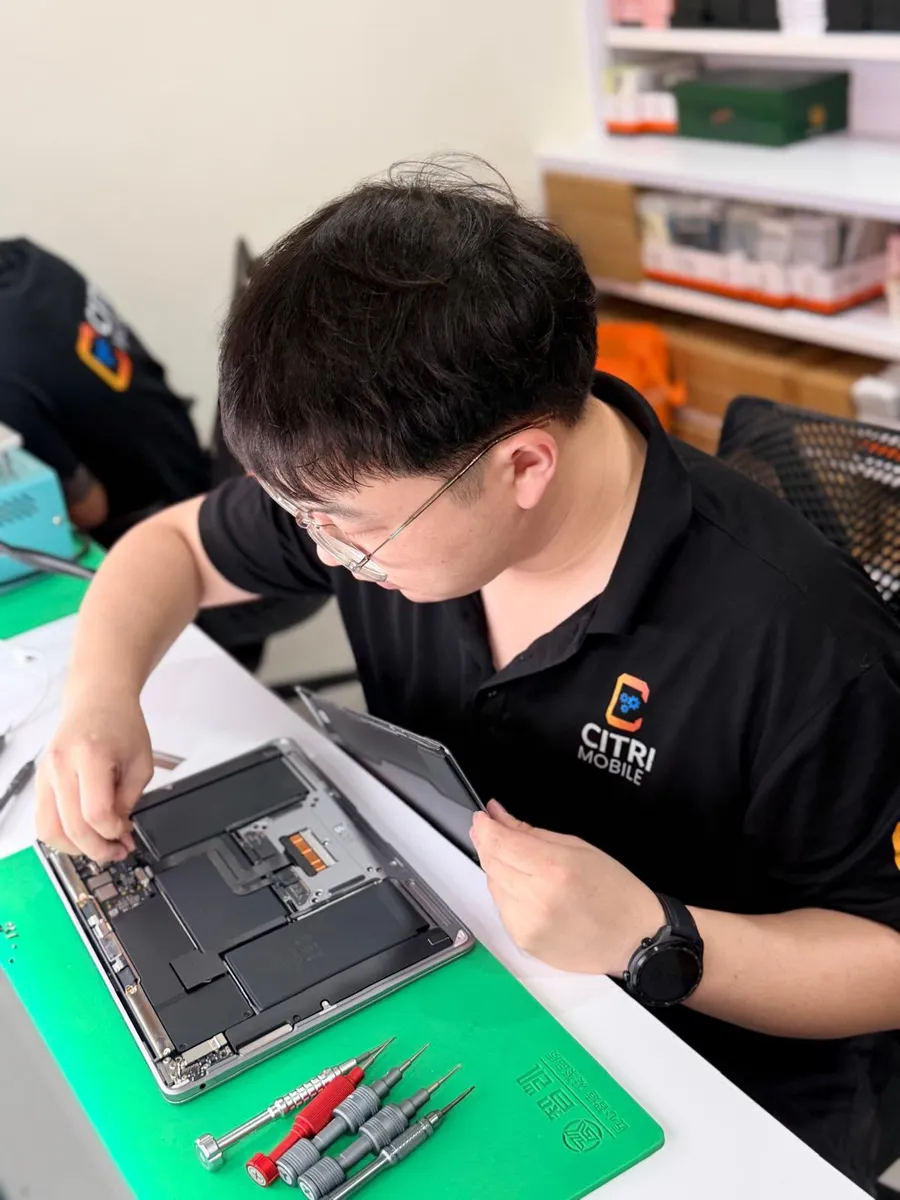
Before you schedule that appointment, or even think about cracking open your MacBook for a DIY fix, there are a few essential steps that you should take. This guide doubles as a MacBook repair and service checklist, designed to save you from unnecessary headaches, protect your data, and ensure the repair process goes as smoothly as possible for both you and your technician.
When Do I Need a MacBook Repair or Service?
We know it’s worrying when your laptop starts glitching, but not every hiccup spells disaster, and not every issue needs immediate repair. That said, some problems are worth paying attention to before they snowball into something more serious (and expensive).
Common culprits include rapid battery drain, frequent overheating, screen flickering, charging port issues, keyboard or trackpad malfunctions, and logic board failures. These are some of the most common Apple MacBook repair cases we encounter. They often start small before escalating into major issues.
While some problems can be fixed with a simple restart, PRAM reset, or a few tweaks in System Settings, others demand more caution. Pushing through on your own without the right tools or knowledge can make things worse.
Read More: Signs That Your MacBook Battery Is Failing and Needs Replacement
When to Call In the Pros
Still unsure whether to head to a MacBook service centre? Here are some signs that it's time:
- You’ve tried basic troubleshooting but the issue keeps coming back.
- Your device won’t turn on, or keeps restarting.
- Physical signs of damage (e.g. cracked screen, water exposure, swollen battery).
- Keyboard, trackpad, or ports have become unresponsive.
- You’re unsure what's wrong and don’t want to make it worse.
Getting your device professionally assessed can prevent small issues from becoming costly disasters.
Preparing Your MacBook for Repair or Service
Before bringing your MacBook in, follow this MacBook service checklist before appointment to ensure a smoother and safer experience:
Back Up Your Data
Data loss can happen during servicing or repairs, especially if the issue is hardware-related. Before anything else, make sure you’ve backed up all important files.
- Use Time Machine or iCloud to create a full backup
- Save essential files to an external hard drive or cloud storage
- If your MacBook won’t turn on, attempt data recovery via Target Disk Mode or macOS Recovery
Sign Out of Accounts & Disable Find My Mac
For privacy and security reasons, it's best to sign out of personal accounts before handing over your device.
- Log out of iCloud, iMessage, and other personal accounts
- Disable Find My Mac to avoid Activation Lock issues
- Deauthorize your Mac from Apple ID if needed
Gather Warranty & Repair Documentation
Having these on hand helps verify eligibility for free or discounted repairs and streamlines the check-in process.
- Verify if your device is still under warranty or AppleCare+
- Bring your MacBook’s purchase receipt or proof of warranty
- Print or keep digital copies of any past repair history
Write Down the Problem
The more details you can give, the faster and more accurately a technician can diagnose your issue.
- Describe the issue clearly: what happens, how often, and when it started
- Note any error messages, sounds, or triggers
- Optional: Record videos or screenshots of the problem in action
Clean Your MacBook
Dust, debris and external components can sometimes interfere with internal components, so a cleaner machine means a better repair experience.
- Remove all accessories: chargers, dongles, SD cards, cases
- Give your MacBook a quick wipe down (screen, keyboard, outer shell)
Post Repair Checks
Once the repair or servicing is done, don’t just grab your MacBook and go. Take a few minutes to make sure everything is working the way it should.
Confirm the Repairs
Make sure you understand what was done and how it impacts your device. If anything is missing, this is the time to speak up.
- Review the repair report provided by the service centre
- Check that all listed issues were addressed
- Ask the technician to explain what was done and what to monitor going forward
- Inspect the exterior and ensure that there are no new scratches, dents, or loose parts
- Ensure that you check in about your warranty. Most reputable providers offer at least 30–90 days of post-repair coverage
Test the Device On the Spot
This step ensures that you're not leaving with new issues.
- Turn on the MacBook and verify it boots normally
- Test the keyboard, trackpad, screen, ports, speakers, and mic
- Check charging, battery performance, Wi-Fi/Bluetooth, and audio
- Verify that documents, photos and personal files are accessible
- Request a demo from the technician if needed
Maintaining Your MacBook After Repair
After confirming everything is in order, focus on restoring your data. Reinstall the necessary applications that you use daily. Check that files from backups are accessible. Ensuring this process is complete is essential for a smooth transition back to your regular usage.
Post-repair, keep an eye on your laptop. Monitor the device for any recurring issues. Should problems arise, follow up with the service provider. They can assist in identifying if the initial repairs failed. This proactive approach ensures your device remains in top shape.
Looking for MacBook Repair in Singapore?
Citri Mobile delivers honest diagnostics, fast turnaround, and expert MacBook repair Singapore you can trust. As an experienced independent repair specialist, we follow strict professional standards using quality parts without the premium price tag.
Visit us at Tampines or Chinatown, or contact us for a quick diagnostic today.