MacBook
MacBook Speaker Crackling or No Sound? How to Tell Software From Hardware
In this article
- Why is my MacBook speaker crackling?
- How do I tell if it's software or the speaker?
- What are Apple's steps when a MacBook has no sound?
- Should I try safe mode?
- What does a blown MacBook speaker sound like?
- Can liquid damage cause MacBook speaker problems?
- How much does MacBook speaker replacement cost in Singapore?
- What do we check when you bring it in?
- MacBook speaker FAQs
- Getting it fixed
A MacBook speaker that crackles, buzzes or goes silent can be a setting, an app or the speaker itself, and a five-minute test tells you which. Play the same audio through headphones. Clean in the headphones but crackly through the speakers? The speaker is worn or damaged. Bad in both? It's the source, a setting or software.
Below are the checks in the order we'd do them, Apple's own steps for a Mac with no sound, and what a speaker replacement costs if it comes to that.
Why is my MacBook speaker crackling?
Usually because the speaker has worn out or been damaged, though a bad audio file or a struggling app can sound much the same. The hardware causes come down to a few things.
- Age and volume. A laptop speaker is a tiny cone moving fast. Years of music, calls and videos played near full volume wear it, and once it starts to tear or come loose it rattles on every loud note.
- Liquid. A spill near the keyboard can reach the speakers or their connectors. Sometimes the crackle starts days later, once corrosion sets in.
- A knock or a drop. A hard hit can loosen a speaker or its cable.
Pops that come in bursts, or audio that cuts out while the Mac is busy, point at software instead. That's why the headphone test comes first.
How do I tell if it's software or the speaker?
Compare the same sound through two outputs, then compare the two speakers against each other. Three quick tests cover it.
1. The headphone test. Plug in wired headphones, or connect Bluetooth ones, and play the track that crackled. If it's clean in the headphones, the Mac is sending good audio and the built-in speakers are the problem. If it crackles in the headphones too, the speakers are fine and the fault is upstream: the file, the app or macOS.
2. Change the source. Try a different app and a different file. A YouTube video in one browser and a song in the Music app is enough. If only one app or one site sounds wrong, it's that app or site.
3. The balance test. Open System Settings → Sound → Output, pick the built-in speakers and drag the Balance slider all the way left, then all the way right. Apple documents the slider on its sound output settings page; for this test it lets you hear each speaker on its own. A crackle that lives on one side only is a hardware fault on that side. Put the slider back in the middle afterwards, or one speaker will seem dead.
Restart the Mac before you decide anything. It costs a minute and clears an audio process that's got stuck.
What are Apple's steps when a MacBook has no sound?
Apple's checklist for internal speakers that aren't working starts with the app, then external devices, then settings.
- Check the app's own volume. Music and the Apple TV app have sliders at the top of the window. Safari can mute a single page; click the Audio button in the search field to unmute it. YouTube and similar sites have their own volume control too.
- Disconnect anything that could be taking the sound. Headphones or speakers in the 3.5mm jack, USB or Thunderbolt audio devices, and external displays connected over USB or HDMI. Audio quietly goes to whatever's connected.
- Check Sound settings. In System Settings, click Sound, then Output, and select the built-in speakers (the Type column says which they are). Make sure the Output volume slider isn't all the way left and Mute is off.
Apple's rule of thumb is simple: if any app or website plays through the built-in speakers, the speakers work. If none of the steps bring the sound back, Apple says the Mac may need service.
Should I try safe mode?
Yes, if the crackle or silence survives a restart and the headphone test is unclear. Apple says safe mode helps you see whether a problem is caused by software that loads as the Mac starts up, and audio add-ons and virtual sound devices are exactly that kind of software.
- Apple silicon (M1 and later): shut down, then hold the power button until you see "Loading startup options". Select your startup disk, hold Shift and click "Continue in Safe Mode".
- Intel: turn the Mac on and hold Shift straight away. Let go when the login window appears.
You'll see "Safe Boot" in red in the top-right corner of the login window. Play the same audio. If it's clean in safe mode, something that starts with your Mac is the cause; remove recently added audio apps and login items one at a time. If it still crackles in safe mode, it's almost certainly the speaker. For macOS faults beyond sound, see our guide to MacBook software issues and macOS errors.
What does a blown MacBook speaker sound like?
A blown speaker rattles or buzzes on bass notes and loud voices, and the noise gets worse as you turn it up. Some give a flat, papery fuzz even at low volume. Others drop out completely on one side.
It's there in every app and every file, it's clean through headphones, and it's usually worse on one side in the balance test. Software noise behaves differently: it clicks and pops at random, often when the Mac is busy, and it shows up in headphones too.
Can liquid damage cause MacBook speaker problems?
Yes. Liquid that gets into the speaker can muffle it straight away, and liquid on the connectors or the logic board can corrode the audio circuit over the following days. If the sound changed after a spill, stop using the Mac, shut it down and don't charge it until it's been opened and checked.
A MacBook chemical wash is $80 and cleans the corrosion off before it spreads. If the board's audio circuit has been damaged, that part is quoted after a free diagnosis. Our MacBook liquid damage guide covers what to do after a spill.
How much does MacBook speaker replacement cost in Singapore?
At Citri Mobile, a MacBook speaker replacement is $95 nett across MacBook Air and Pro models. A few older models are quoted after we've seen them. The price we quote is the price you pay, and you can pay by PayNow, PayLah, Visa or Mastercard.
If the speakers turn out to be fine and the fault is on the logic board, that repair is quoted after a free diagnosis. You'll have the figure before we start.
One thing to check first. An independent repair isn't covered by Apple's warranty, so if your Mac is still under Apple's warranty or AppleCare, go to Apple first. Our guide to checking your Apple warranty takes two minutes. Out of warranty, our own repair warranty covers the part we fit.
What do we check when you bring it in?
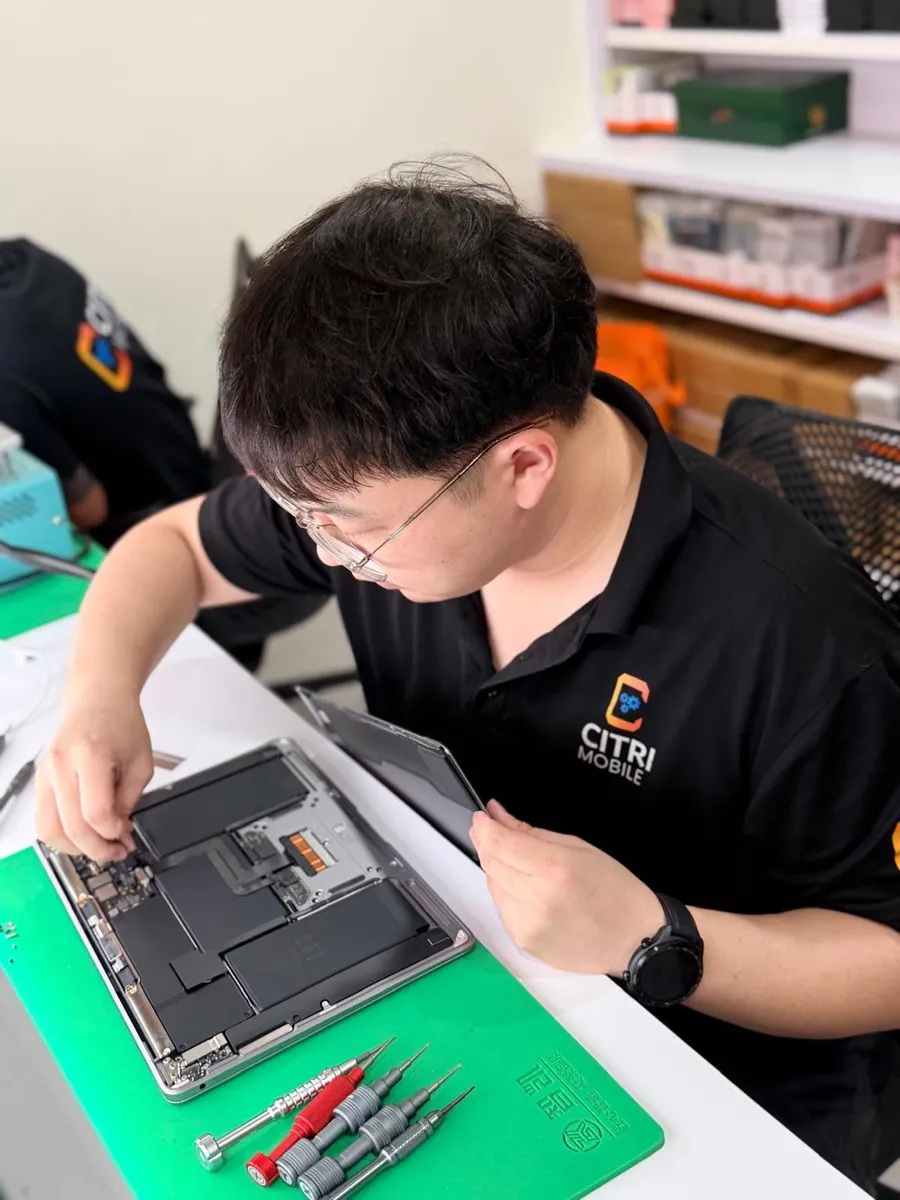
Diagnosis is free, and we do it in this order. We play the same test audio through the speakers and through headphones, then run each speaker on its own with the balance slider. If one side is faulty, we open the Mac and look at the speaker, its cable and its connector for damage or corrosion, which also tells us whether liquid has been in. If the speakers test fine but there's still no sound, the fault is upstream on the board, and we say so before quoting.
Speaker swaps are usually same-day work when we have the part for your model in stock. If yours needs longer, we'll tell you when we quote.
MacBook speaker FAQs
- Why does my MacBook speaker crackle at high volume?
- Usually because the speaker is worn or damaged. A small laptop speaker that's been played loud for years can tear or come loose, and it rattles on loud notes and bass. If the same audio is clean through headphones, it's the speaker. If it crackles in headphones too, check the app and the file first.
- Is MacBook speaker crackling a software problem?
- Sometimes. Random clicks and pops, especially while the Mac is busy, often come from an app, a browser tab or an audio add-on. Try headphones, a different app and safe mode. If the crackle stays through the speakers but disappears in headphones, it's hardware.
- Why is there no sound from my MacBook speakers?
- Most often the sound is going somewhere else or is muted. Disconnect headphones, USB audio devices and external displays, then in System Settings → Sound → Output select the built-in speakers, raise the Output volume and make sure Mute is off. Check the app's own volume too. If nothing plays from any app, the Mac needs a look.
- Can a blown MacBook speaker fix itself?
- No. A torn or loose speaker cone stays that way, and the rattle tends to get worse. Turning the volume down makes it less obvious, but the fix is a replacement speaker.
- How much does it cost to replace a MacBook speaker in Singapore?
- At Citri Mobile it's $95 nett for most MacBook Air and Pro models, with a few older models quoted after a look. Diagnosis is free. Board-level audio faults are quoted after the diagnosis.
- Will a repair at an independent shop affect my Apple warranty?
- An independent repair isn't covered by Apple's warranty, so if your MacBook is still under Apple's warranty or AppleCare, go to Apple first. Once it's out of warranty, our own repair warranty covers the part we fit.
Getting it fixed
We have four branches: People's Park Centre in Chinatown, Tampines, Yishun and Jurong Point, open 11am–9pm daily. We're rated 5.0★ from 2,900+ Google reviews, and every repair carries a 30-100 days warranty you can use at any branch.
Send your MacBook model and a short video of the sound on WhatsApp and we'll tell you what we think it is before you travel. Walk-ins are welcome without an appointment, but message or call first to confirm we have the speaker for your model in stock. Every model and repair is priced on our MacBook repair in Singapore page.