iPhone
Green Line on iPhone Screen: Causes, Fixes & Repair Cost in Singapore
In this article
- Why does a green line appear on an iPhone screen?
- Can a green line fix itself?
- What about a flickering iPhone screen?
- Will the green line spread or get worse?
- Will Apple fix a green line for free?
- How much does a green line cost to fix in Singapore?
- What does screen replacement involve?
- My screen went completely black instead. Same problem?
- Green line diagnosis at Citri Mobile
- Green line on iPhone screen: FAQs
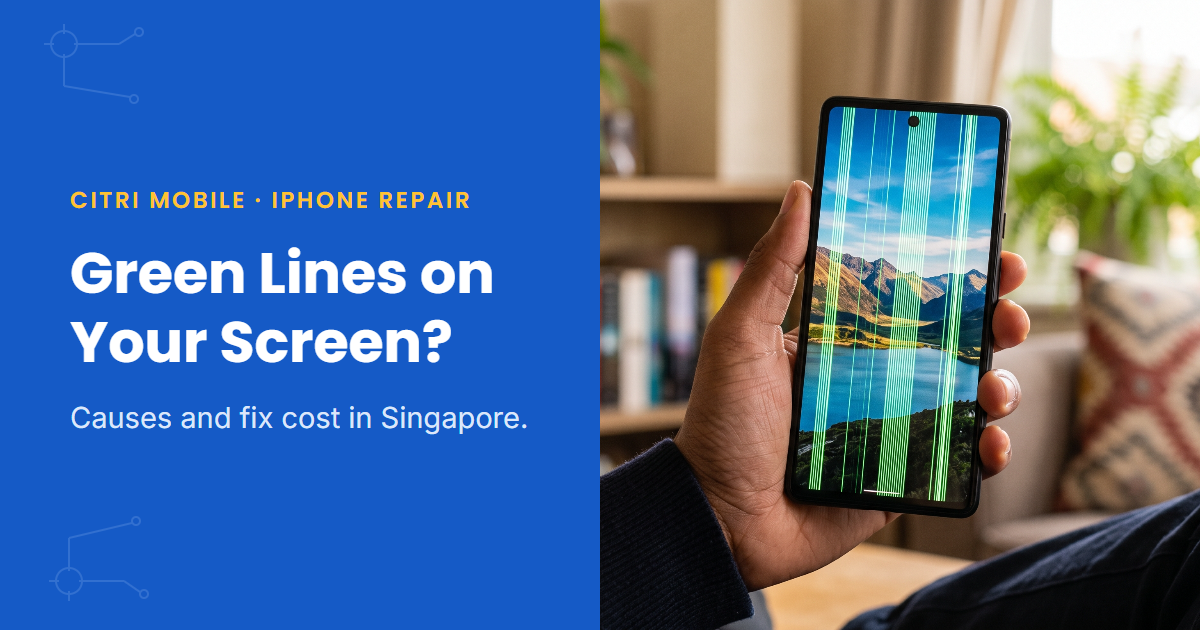
A green line on an iPhone screen usually means the OLED panel is damaged, most often after a drop, even one that left no visible crack. Restart the phone first to rule out a software glitch, because a small number of green lines clear with a restart or iOS update. If the line stays, Citri Mobile fixes green line faults from $75 nett, and a full Original Grade screen replacement runs $30–$165.
By the Citri Mobile Repair Team · Updated August 2026 · Rated 5.0★ from 2,300+ Google reviews · 15 years repairing iPhones in Singapore.
Why does a green line appear on an iPhone screen?
Modern iPhones (X and newer) use OLED panels, and a vertical green line is the classic OLED failure signature. Somewhere along the panel's driver connections a track has broken or shorted, so one column of pixels gets stuck at full green. The trigger is usually physical: a drop, a knock on the corner, pressure in a tight pocket or bag. Often the glass is completely intact, so the phone looks fine apart from the line. And sometimes the line shows up days after the impact, which is why it feels like it came from nowhere.
Heat and liquid exposure do it too. And on a small number of iPhones the line appeared after an iOS update rather than an accident; those cases are worth ruling out first because they occasionally clear with software alone.
From the bench, the two look different. A panel-damage line is thin, dead straight and constant: one or two pixel columns of solid green that sit on top of everything, including the Apple logo while the phone boots. A software glitch behaves differently. The line shimmers or flickers, shows up only in certain apps, or shifts when you change the brightness. If yours is razor-straight and always there, plan for a hardware fix.
Can a green line fix itself?
Mostly, no. A line caused by panel damage doesn't heal, and on the phones we see back a second time it has typically widened or picked up a second line within a few weeks. The exception is the small group of software cases, and ruling those out costs nothing. Work through these before booking anything:
- Restart the phone. A plain restart clears rendering glitches that mimic panel faults.
- Update iOS. Settings > General > Software Update. Apple has shipped fixes for display driver bugs before; being on the latest version rules that out.
- Screenshot test. Take a screenshot of a screen showing the line and view it on another device. If the line is in the screenshot, the fault is in the rendering (software). If the screenshot is clean but your screen still shows the line, the panel itself is damaged. This one test settles most cases.
- Check in Safe conditions. Does the line survive a restart, appear in Recovery mode, and show across every app? A line that's always there, in everything, is hardware.
If the line vanishes after an update, you're done. If it survives all four steps, it's the panel, and no amount of resetting will help.
What about a flickering iPhone screen?
Flickering sits in the same family but has more suspects. A screen that flickers at low brightness only is often OLED dimming behaviour interacting with a worn panel. Flickering with touch problems points at the display connector, which can loosen after a drop. Flickering plus random restarts brings the board into the picture. And flickering that started after water exposure is corrosion until proven otherwise; if that's your situation, read our guide on what to do after iPhone water damage before charging the phone again.
The screenshot test works here too. Software flicker records; hardware flicker doesn't.
Will the green line spread or get worse?
Usually, yes. One line often becomes two, then a band, and a damaged panel can develop dark patches as more of the OLED degrades. There's no repair urgency measured in hours, unlike water damage, but a phone with a fresh green line is a phone whose screen is already failing. Waiting rarely makes the repair cheaper, and if the phone is still usable you have the luxury of booking the repair on your schedule rather than after the screen gives up completely.
Will Apple fix a green line for free?
Only if the phone is covered. Inside the first-year warranty or under AppleCare+, and with no sign of impact or liquid damage, Apple can treat a green line as a manufacturing fault and replace the display at no charge. Check your status at checkcoverage.apple.com before you do anything else; it takes a minute and settles the question.
The catch is that most green lines follow a drop, and Apple's technicians inspect for exactly that. Dents, deep scratches or a bent frame usually turn a warranty claim into a paid quote. Apple has also run free service programmes for specific display faults in the past, so it's worth a glance at its current service programmes page, though there's no green-line programme at the time of writing. For a fuller picture of when the Apple route makes sense and when a walk-in shop does, see our AppleCare vs walk-in repair comparison.
How much does a green line cost to fix in Singapore?
At Citri Mobile, prices nett with Original Grade parts:
- Green, white or yellow screen repair: from $75 for eligible models, where the fault can be fixed without a full panel swap. Details on the green/white/yellow screen repair service page.
- Full screen replacement: $30–$165 in Original Grade depending on model, or a genuine Apple display for eligible iPhone repairs under the Apple IRP programme at $355–$545. The model-by-model table is in our iPhone screen replacement cost guide, and the parts trade-offs are covered in Original vs OEM iPhone screens.
Which one your phone needs depends on what the diagnosis finds, and the diagnosis is free. If the impact also affected the frame or connector, we'll tell you before quoting, not after. Every other iPhone fault and price sits in the iPhone repair cost & options guide. Got a Samsung with the same stripe? That's covered in our Samsung green line guide, because AMOLED panels fail the same way.
What does screen replacement involve?
Less than most people expect. The technician opens the phone, disconnects the damaged panel, fits the new one, then reconnects and tests everything: display, touch, True Tone, Face ID and the sensors that live near the screen. Your storage is never touched, so photos, chats and apps stay where they were. Depending on your model you can choose an Original Grade panel or genuine Apple parts for eligible iPhone repairs under the Apple IRP programme.
Most screen replacements are done as a walk-in, usually in 30 to 60 minutes, as long as we have the panel for your model in stock; message first to confirm. If the drop also damaged the frame or the display connector, the job takes longer, and we'll tell you that at diagnosis, before any work starts.
My screen went completely black instead. Same problem?
Close cousin. A dead panel, a knocked connector and a phone that's actually off all look identical from the outside. If the phone still rings and vibrates, the display side has failed and it's a screen repair. If it's completely unresponsive, run through our checklist for an iPhone that won't turn on first, because the fix might be free.
Green line diagnosis at Citri Mobile
Bring the phone in and we'll confirm whether it's the panel, the connector or something deeper, free, before you commit to anything. 5.0 stars from 2,300+ Google reviews, Original Grade parts with our own 30-100 days warranty, and your data stays on the phone. Four branches, 11am–9pm daily. Walk-ins welcome, but WhatsApp +65 9456 6455 first so we can confirm the screen for your model is in stock:
- People's Park Centre (Chinatown), #01-47, Singapore 058357
- Tampines, 503 Tampines Central 1, #01-299, Singapore 520503
- Yishun, Blk 846 Yishun Street 81, #01-3643, Singapore 760846
- Jurong Point, #B1-34A
Green line on iPhone screen: FAQs
- Can a green line on an iPhone screen fix itself?
Rarely. If it's one of the uncommon software cases, a restart or iOS update clears it. A line caused by panel damage is permanent and tends to multiply over time rather than fade.
- How do I know if the green line is hardware or software?
Screenshot the affected screen and view it on another device. Line in the screenshot: software. Clean screenshot but the line still shows on your display: the OLED panel is damaged and needs repair.
- How much does it cost to fix a green line on an iPhone in Singapore?
From $75 nett at Citri Mobile for eligible green/white/yellow screen repairs, or $30–$165 for a full Original Grade screen replacement depending on model. Diagnosis is free, so you'll know which applies before paying anything.
- Is a green line covered by Apple warranty?
Only while the phone is under the one-year warranty or AppleCare+, and only if Apple finds no impact or liquid damage, which green-line phones usually show. Check your status at checkcoverage.apple.com first. Out of warranty, Apple charges its full screen replacement price, which is why many owners repair independently instead.
- Can I keep using an iPhone with a green line?
Yes, it's safe to use. But the line usually spreads, and if the cause was a drop it can hide a loose connector that eventually kills the display or touch entirely. Usable today doesn't mean stable, so have it looked at when you can.
- Does the green line mean my iPhone is dying?
No. The fault sits in the display panel, not the phone. The board, battery and storage are usually untouched, and a new panel puts the screen back to normal. A green line on its own is not a reason to replace the whole iPhone.
- Will fixing the screen erase my data?
No. A screen repair or replacement doesn't touch your storage. Photos, chats and apps stay exactly as they were.