Samsung
Green Line on Your Samsung Screen? Causes & Fixes (2026)
In this article
- What causes the green line on Samsung screens?
- Which Samsung phones get the green line?
- How common is it in Singapore?
- Why did it appear right after a software update?
- How do I confirm it's the screen?
- Will the green line go away on its own?
- Does Samsung fix the green line for free?
- How is it fixed, and what does it cost?
- Get it checked in Singapore
- Green line on Samsung screen: FAQs
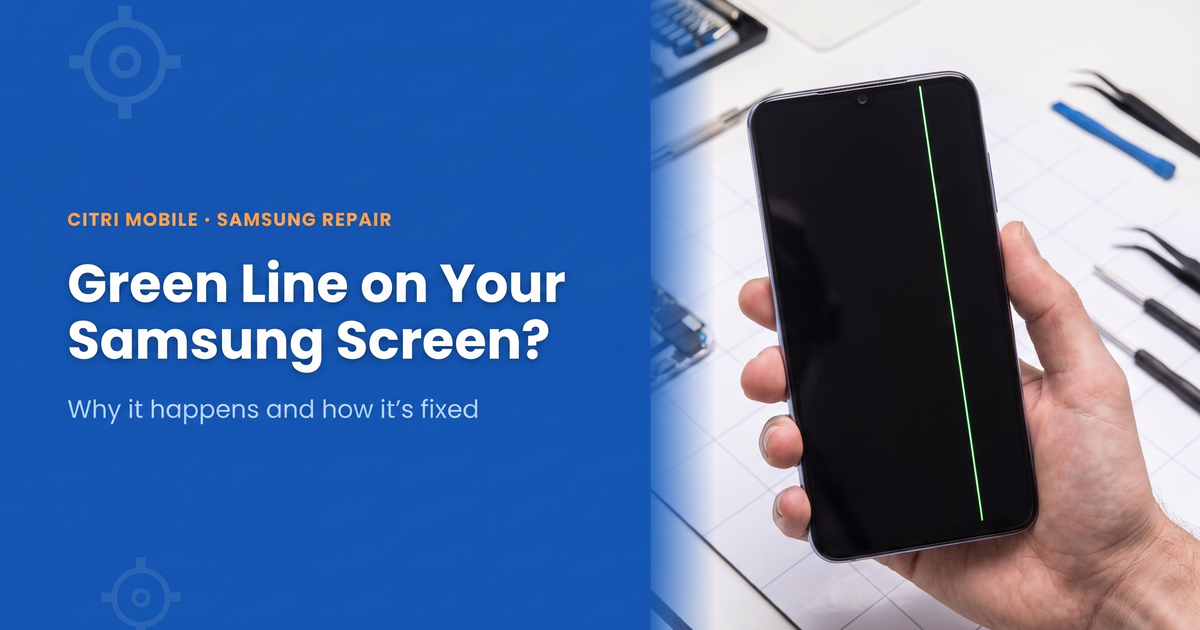
A green or pink vertical line on a Samsung screen is almost always a hardware fault in the AMOLED panel, not a software bug. It usually appears after an update, a knock or a hot charging session, and it won't go away on its own. The fix is a full screen replacement: from $45 at our shops with an Original Grade panel, depending on model. If the phone is inside its 12-month Samsung warranty with no drop or liquid damage, take it to Samsung first. Here's what's happening inside the screen, how to confirm it yourself in ten seconds, which models get it most, and what to do about it.
By the Citri Mobile Repair Team · Updated October 2026 · Rated 5.0★ from 2,300+ Google reviews · 15 years repairing phones in Singapore.
What causes the green line on Samsung screens?
Samsung's AMOLED panels are driven by a display chip that talks to the pixels through a ribbon of microscopic connections bonded to the edge of the glass. When one of those connections fails, the column of pixels it feeds gets stuck fully on, and you see a thin, bright vertical line. Green is the most common colour because of how the sub-pixels are wired, but pink, purple and white lines are the same fault.
The bond usually fails for one of three reasons:
- Heat. Long fast-charging sessions, gaming, or a big software update cooking the phone for an hour can stress the bond until a weak connection lets go.
- Pressure or a knock. A drop, sitting on the phone, or a tight pocket can flex the panel edge. The line sometimes shows up days after the knock, which is why it feels random.
- Age. Thousands of heat cycles add up, which is why the fault turns up on phones that are two or three years old.
It's an AMOLED fault. The reports gathered by Android Authority all involve AMOLED screens, and phones with LCD screens, which includes many budget Galaxy A and M models, don't show it.
Which Samsung phones get the green line?
Media reports have named the Galaxy S21 series most often, the S21 Ultra and S21 FE in particular, with reports also on the Galaxy S22 series, the A73, the M21 and the Z Flip 3, according to CNA's November 2024 report. The same fault has been widely reported on ageing S20 and Note 20 series phones too. The fix on each is a full screen replacement, priced per model:
| Model | Full screen repair (Original Grade) |
|---|---|
| Galaxy S20 | $170 |
| Galaxy S20 Ultra | $220 |
| Galaxy S21 | $130 |
| Galaxy S21+ | $130 |
| Galaxy S21 Ultra | $210 |
| Galaxy S21 FE | $130 |
| Galaxy S22 | $170 |
| Galaxy S22+ | $145 |
| Galaxy S22 Ultra | $250 |
| Galaxy Note 20 Ultra | $230 |
| Galaxy A73 | $90 |
| Galaxy M21 | $75 |
| Galaxy Z Flip 3 (main screen) | $195 |
Prices are nett and come straight from our price list, so they change when a part price does. Every other model is on the Samsung screen repair page.
How common is it in Singapore?
Common enough that the consumer watchdog noticed. The Consumer Association of Singapore (CASE) told CNA it had received 31 complaints about lines on phone screens by mid-November 2024, against 14 in all of 2023 and 4 in 2022, and that 48 of the 49 complaints over those three years were about Samsung phones. Most people said the line appeared after a software update.
Why did it appear right after a software update?
This is the part everyone asks about, because the timing feels like proof the update broke the phone. The update can't install a line of dead pixels. What it does is run the processor hard for half an hour or more, which heats the phone more than normal use. If the panel bond was already weak, that heat is often what finally breaks it. So the update is the trigger rather than the cause, and that's also why no follow-up patch ever removes the line.
How do I confirm it's the screen?
Two quick tests, no tools needed.
- The screenshot test. Take a screenshot and look at it on another device. If the line isn't in the screenshot, it's the panel. A screenshot captures what the phone is drawing, not what the glass is showing, so a clean screenshot with a lined screen means the image is being lost on its way to the pixels. That's hardware.
- Samsung's test menu. On most Galaxy phones, dialling *#0*# opens Samsung's built-in hardware test. Tap the Red, Green and Blue tiles in turn. A line that stays put across all three full-colour screens is a fault in the panel itself. Press back to leave the menu; it changes nothing on the phone. Some carrier versions don't open it.
You can rule out software properly too: restart, then try safe mode. If the line survives both, no reset, cache wipe or setting will touch it. Skip the factory reset. It costs you your data and fixes nothing.
Will the green line go away on its own?
No, and it usually gets worse. A failed bond doesn't heal, and the same stress that broke one connection tends to break its neighbours. One line often becomes two or three over the following weeks, especially if the phone runs hot. The practical advice: back up your phone now, while the screen is still usable, and avoid charging while gaming in the meantime.
Does Samsung fix the green line for free?
Inside the warranty, it should. A Samsung phone bought in Singapore has 12 months of cover against defects, and a line that appeared on its own, on a phone with no drop or liquid damage, is the kind of fault that cover is for. Samsung's terms leave the final decision to its own inspection, and impact or liquid damage voids the claim, so expect the phone to be checked for both. Our Samsung warranty check guide shows how to see how many months you have left.
Outside the warranty, don't count on a free fix. Samsung reportedly offered a free one-time screen replacement on selected models in India, but when CNA asked about the complaints here, Samsung's answer was to visit an authorised service centre. Past 12 months, or with a knock in the phone's history, you're looking at a paid screen replacement either at Samsung or at an independent shop like ours.
How is it fixed, and what does it cost?
The only real fix is replacing the AMOLED panel: a full Samsung screen repair. A glass-only replacement won't do it, because it keeps the faulty panel and only renews the glass on top. On nearly every modern Samsung the display and touch glass are one fused unit, so the whole front assembly is swapped, and your data isn't touched. With an Original Grade panel that's $45–$630 depending on model: around $110 for an A54 and $165 for a Galaxy S23. Model-by-model numbers are in our Samsung screen replacement cost guide, and every Samsung repair and what it costs is in our Samsung repair cost guide.
If your phone has other symptoms too, like flickering, ghost touches or black patches, our guide on what to do when your Samsung isn't working helps you narrow it down before you spend anything.
Get it checked in Singapore
Citri Mobile has been repairing phones in Singapore for 15 years, rated 4.8★ from 2,300+ Google reviews. Diagnosis is free: bring the phone to any of our four branches (People's Park/Chinatown, Tampines, Yishun, Jurong Point, 11am to 9pm daily) and we'll confirm whether it's the panel before you decide anything. Message or call +65 9456 6455 first so we can check we have your model's panel in stock, or browse your exact Samsung model for live prices.
Green line on Samsung screen: FAQs
- Is the green line on my Samsung screen software or hardware?
Hardware, almost always. Take a screenshot: if the line doesn't appear in it, the image is being drawn correctly and lost at the panel. That's a failed AMOLED connection, and no reset or update will fix it.
- Why did the green line appear after a software update?
The update itself didn't break the panel. Long updates run the phone hot, and heat is what finishes off an already-weakened panel bond. That's why the timing lines up so often, and why no later patch removes the line.
- Can a green line be fixed without replacing the screen?
No. The failed connection is inside the fused display assembly, so the panel has to be replaced, and a glass-only repair doesn't reach it. Restarts, safe mode, cache wipes and factory resets don't touch it either, so don't sacrifice your data trying.
- Will the green line spread?
Usually, yes. One failed connection tends to be followed by its neighbours, so one line becomes several over weeks. Back up your data while the screen is still fully usable.
- Does Samsung repair the green line for free?
Inside the 12-month Samsung warranty, with no drop or liquid damage, it should be treated as a defect, so take it to a Samsung service centre first. Outside the warranty it's a paid screen replacement. The free one-time replacement Samsung reportedly offered in India was an India offer; asked about the Singapore complaints, Samsung told CNA to visit an authorised service centre.
- Which Samsung models have the green line problem?
The Galaxy S21 series is named most often, especially the S21 Ultra and S21 FE, with reports also on the S22 series, A73, M21 and Z Flip 3. Ageing S20 and Note 20 series phones get it too. LCD-screen Galaxys don't show it.
- How much does it cost to fix a green line on a Samsung in Singapore?
It's a full screen replacement: $45–$630 with an Original Grade AMOLED depending on model, for example $210 on a Galaxy S21 Ultra and $165 on a Galaxy S23. Prices are nett, and diagnosis is free.