Tips & Guides
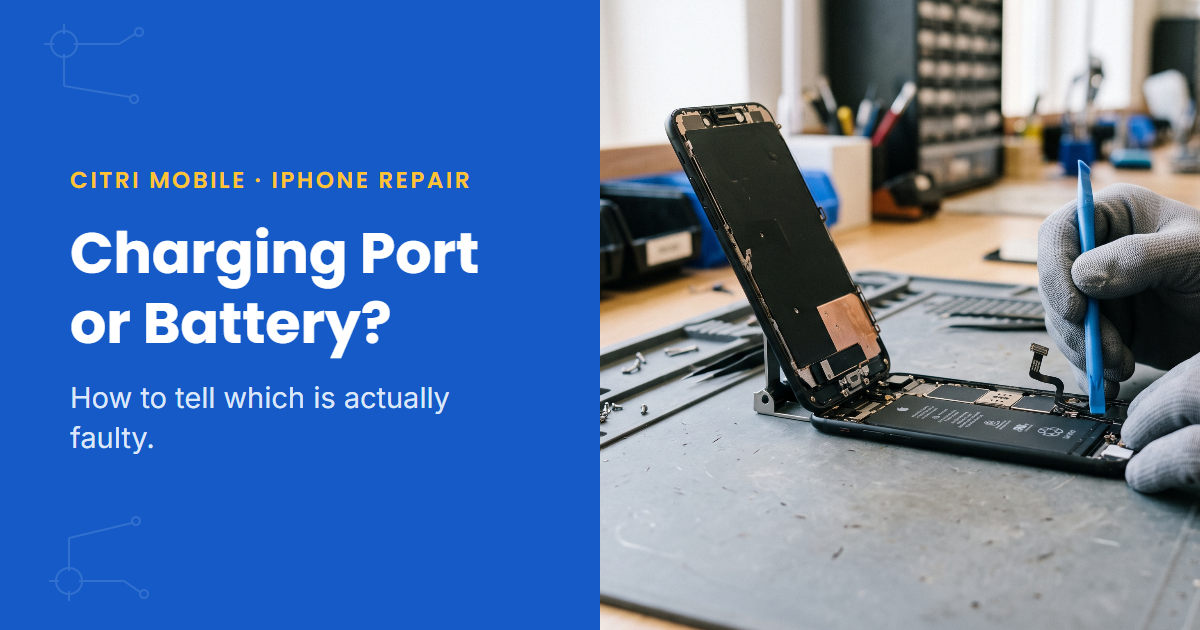
Charging Port or Battery? How to Tell Which Is Actually Faulty
In this article
- Why do a faulty port and a worn battery look so similar?
- What are the signs of a faulty charging port?
- What are the signs the battery is the problem?
- Five tests to run before paying for anything
- Can it be both at once?
- What does each repair cost in Singapore?
- Free port-vs-battery diagnosis at Citri Mobile
- Charging port or battery: FAQs
The fastest way to tell: put your iPhone on a wireless charger. If it charges wirelessly but not by cable, the charging port is the problem. If it charges fine either way but dies quickly, or only stays alive while plugged in, that's the battery. In Singapore a port replacement runs $25–$85 nett and a battery $25–$70. Here's how to be sure before you pay for either.
By the Citri Mobile Repair Team · Updated August 2026 · Rated 5.0★ from 2,300+ Google reviews · 15 years repairing iPhones in Singapore.
Why do a faulty port and a worn battery look so similar?
Because both end the same way: a phone that's dead when you need it. A port that only makes contact at certain angles and a battery that can't hold charge both produce the "I charged it, I swear" conversation. But the two faults leave different fingerprints, and you can read them at home in about ten minutes. Worth doing, because the repairs cost different amounts and there's no point replacing a healthy battery to fix a dirty port.
What are the signs of a faulty charging port?
- Charging only works at an angle. You've learnt the magic position: cable pushed up, phone balanced on the edge of the table. That's worn or dirty port contacts, not the battery.
- The cable feels loose. A healthy Lightning or USB-C port grips the cable with a firm click. If it slides in with no resistance and falls out on its own, the port (or the lint packed inside it) is suspect.
- Charging starts and stops. The chime rings repeatedly as the connection makes and breaks. Wiggle the cable and watch the battery icon; if it flickers, you've found your fault.
- Some cables work, some don't. A worn port gets fussy about connector tolerances long before it fails outright.
- The phone charges wirelessly but not by cable. This is the clincher. Wireless charging bypasses the port entirely, so if the phone drinks happily on a MagSafe or Qi pad, the battery and charging circuit are fine.
One caveat before you blame the hardware: most "faulty ports" we open up are actually full of pocket lint. Shine a torch in. If you can't see the metal pins at the bottom of the port, compacted lint is stopping the cable from seating, and clearing it may be the whole repair.
What are the signs the battery is the problem?
- It charges normally but drains fast. The port is doing its job; the tank is leaking. Our guide to iPhone batteries draining fast covers this pattern in detail.
- The phone only runs while plugged in. Unplug it and it dies within minutes, or won't start at all. A cooked battery can pass current through without storing any.
- Random shutdowns at 20–40%. The battery reports charge it can no longer deliver, so the phone protects itself and cuts out.
- Settings already told you. Go to Settings > Battery > Battery Health & Charging. Maximum capacity under 80%, or a "battery health significantly degraded" message, settles the question.
- The battery percentage jumps around. 60% to 15% in a minute, or stuck at 1% for an hour. Worn cells report badly.
Five tests to run before paying for anything
- Swap the cable and adapter. Try a different cable, a different brick and a different socket. Frayed cables cause more "charging problems" than ports and batteries combined.
- Inspect and clean the port. Torch in, look for lint. If the pins are buried, pick the lint out gently with a dry wooden toothpick. Never a pin, never compressed air aimed hard, never anything wet.
- Test wireless charging (iPhone 8 and newer). Charges on the pad but not the cable? Port. Won't charge either way? Keep reading, because that points at the battery or deeper.
- Check Battery Health. Settings > Battery > Battery Health & Charging. Under 80% capacity and your answer is probably right there.
- Watch the behaviour on a known-good charger. Borrow a charger you trust. Solid, uninterrupted charging that still ends in fast draining is a battery story. Charging that cuts in and out on a good cable is a port story.
If the phone won't respond to anything at all, that's a different diagnosis tree. Start with our guide to an iPhone that won't turn on before assuming either part is dead.
Can it be both at once?
Yes, and it's more common than you'd think. A failing port undercharges the battery for months, the battery ages faster from constant deep discharge, and by the time the port dies the battery is worn too. This is why we test both in the free diagnosis instead of swapping parts on a guess. It's also why a phone that's been "charging weirdly" for half a year sometimes needs two small repairs rather than one.
What does each repair cost in Singapore?
At Citri Mobile, with Original Grade parts and prices nett:
- Charging port replacement: $25–$85 depending on model. Details on the iPhone charging port service page.
- Battery replacement: $25–$70 in Original Grade, or a genuine Apple battery for eligible iPhone repairs under the Apple IRP programme at $110–$130. The full model-by-model table and the 80% rule are in the iPhone battery replacement cost guide.
Every other iPhone fault and its price lives in the iPhone repair cost & options guide. Diagnosing a Samsung with the same symptoms? We wrote the Samsung version of this guide too.
Free port-vs-battery diagnosis at Citri Mobile
Still not sure which it is? Bring the phone in and we'll test the port, the battery and the charging circuit for free, then quote before touching anything. 5.0 stars from 2,300+ Google reviews, Original Grade parts with our own 30-100 days warranty, and your data stays on the phone. Four branches, 11am–9pm daily. Walk-ins welcome, but WhatsApp +65 9456 6455 first so we can confirm the part for your model is in stock:
- People's Park Centre (Chinatown), #01-47, Singapore 058357
- Tampines, 503 Tampines Central 1, #01-299, Singapore 520503
- Yishun, Blk 846 Yishun Street 81, #01-3643, Singapore 760846
- Jurong Point, #B1-34A
Charging port or battery: FAQs
- How do I know if my iPhone charging port is damaged?
The tells: charging only works at certain cable angles, the cable sits loose, charging starts and stops when you move the phone, or wireless charging works while cable charging doesn't. Check for lint first; a blocked port mimics a broken one.
- Can I clean my iPhone charging port myself?
Yes, carefully. Power the phone off and lift lint out with a dry wooden toothpick, working gently at the bottom of the port. Avoid metal pins, liquids and hard blasts of compressed air. If cleaning doesn't restore a firm click, the port itself is worn.
- How much does it cost to replace an iPhone charging port in Singapore?
$25–$85 nett at Citri Mobile depending on model, with Original Grade parts. We confirm the port is really the fault in a free diagnosis before quoting.
- Is it worth replacing the battery instead of buying a new iPhone?
Usually, yes. A battery swap costs $25–$70 and makes an ageing iPhone feel new for a fraction of a replacement handset. If the rest of the phone is healthy, it's the highest-value repair there is.
- Why does my iPhone charge wirelessly but not with a cable?
Because wireless charging skips the port. If the pad works and the cable doesn't, the battery is fine and the port (or the lint inside it) is the fault. That's a $25–$85 repair, not a new phone.
- Can a faulty charging port damage the battery?
Indirectly, over time. A port that undercharges keeps the battery cycling in deep discharge, which ages it faster. Fix a flaky port early and the battery lasts longer.