iPhone
iPhone Battery Draining Fast? Causes, Fixes & When to Replace (SG)
In this article
- Why is my iPhone battery draining so fast?
- Check Battery Health before you change any settings
- Which settings actually stop an iPhone battery draining fast?
- My battery started draining fast after an iOS update. Normal?
- When is it time to replace the battery?
- What does an iPhone battery replacement cost in Singapore?
- Battery checks and replacements at Citri Mobile
- iPhone battery drain: FAQs
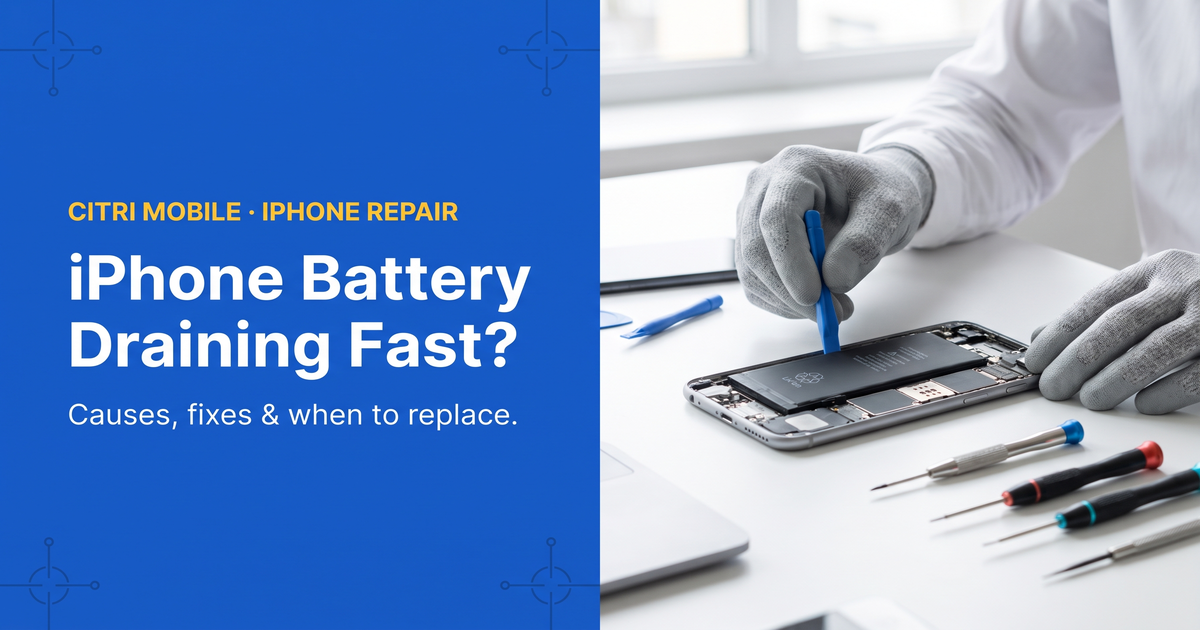
An iPhone battery that drains fast is almost always one of two things: software working the battery harder than it needs to, or a battery that's worn out. Open Settings > Battery > Battery Health & Charging — if Maximum Capacity reads under 80%, no setting will fix it and replacement is the answer. Above 80%, a handful of settings usually recovers most of the drain. Here's how to tell which case is yours.
By the Citri Mobile Repair Team · Updated July 2026 · Rated 5.0★ from 2,300+ Google reviews · 15 years repairing iPhones in Singapore.
Why is my iPhone battery draining so fast?
Start with evidence, not guesswork. Open Settings > Battery and look at the last 24 hours. The graph shows exactly when the drain happened, and the app list below it shows what was running. Two patterns tell you most of what you need to know:
- One app dominates the list. Maps, TikTok, Instagram, a game, or anything showing high "background activity" — that's a software problem, and it's fixable in settings.
- The drain is steady even when you barely used the phone. A phone that loses 20–30% overnight doing nothing, or dies by lunchtime on light use, points at the battery itself or something deeper.
Singapore adds its own factor: heat. Lithium batteries age faster when they're warm, and a phone that lives in your pocket outdoors, charges in a car dashboard mount, or sits in direct sun at a kopitiam table spends a lot of its life above the temperatures batteries like. Nothing to panic about — but it's why batteries here often wear out a little sooner than the same phone would in a cooler country.
Check Battery Health before you change any settings
Go to Settings > Battery > Battery Health & Charging. The number that matters is Maximum Capacity:
- 90–100% — the battery is fine. Fast drain is a settings or app problem.
- 80–89% — noticeably shorter days, but usable. Settings tweaks help; replacement is optional.
- Under 80% — the battery is officially worn. Apple uses the same 80% line for its own service, and below it you'll also see peak-performance warnings or slowdowns. Replace it.
On the iPhone 15 and newer, the same screen also shows the cycle count. Older iPhones hide it, but the trend is what counts: most iPhone batteries land near 80% capacity after roughly 500 full charge cycles — about two years of typical use.
One more thing worth a look on that screen: if it says "Service" or the health number has dropped sharply in a few weeks, skip the settings tips below and go straight to when to replace.
Which settings actually stop an iPhone battery draining fast?
Plenty of battery advice is folklore. These are the changes that move the needle, roughly in order of impact:
- Screen brightness and Always-On Display. The screen is the single biggest battery consumer on any iPhone. Drop brightness, keep auto-brightness on, and if you have a Pro model, try turning off Always-On Display (Settings > Display & Brightness) — it's a real cost on some usage patterns.
- Background App Refresh. Settings > General > Background App Refresh. Turn it off globally or leave it on only for apps you genuinely need updated in the background. Social and shopping apps are the usual offenders.
- Location Services set to "Always". Settings > Privacy & Security > Location Services. Any app set to Always is allowed to poll GPS all day — switch them to "While Using".
- Push mail. If you run an Exchange or corporate mailbox on push, your phone holds a connection open around the clock. Settings > Mail > Accounts > Fetch New Data — fetch every 30 minutes is far cheaper.
- Weak signal. A phone hunting for signal burns battery fast — basements, MRT tunnels, some office cores. You can't fix coverage, but if drain spikes at the same place every day, that's your answer, and the battery isn't faulty.
- Low Power Mode. Not just for emergencies. It trims background work and some visual effects, and day-to-day it's a perfectly good way to run the phone.
- Restart, and update iOS. A stuck process can quietly chew through a battery for days. A restart clears it; iOS updates regularly fix drain bugs too.
My battery started draining fast after an iOS update. Normal?
For the first day or two, yes. After a major update the phone re-indexes photos and files, re-syncs iCloud and re-learns usage patterns, all in the background. Charge it, use it normally, and judge the battery again after 48 hours. If the heavy drain is still there a week later, treat it like any other drain problem: check the battery graph, then Battery Health.
When is it time to replace the battery?
Settings can't rescue worn hardware. Replace the battery when you see any of these:
- Maximum Capacity under 80%, or a "Service" message on the Battery Health screen.
- Sudden shutdowns — the phone dies at 20–30% and jumps in percentage after a restart. That's the classic sign of a battery that can no longer hold voltage under load.
- The phone slows down. iOS throttles peak performance to prevent those shutdowns, so an ageing battery often shows up as a laggy phone.
- Swelling. If the screen is lifting or the case is bulging, stop charging the phone and have it looked at now — a swollen battery is a safety issue, not a quirk.
And one case that is not the battery: a phone that runs hot and drains fast on light use, especially after a knock or water exposure, can have a board-level fault drawing current constantly. Swapping the battery won't cure that. We check for it during a free diagnosis before recommending anything — if your phone's been near water, read how to spot and fix water damage in your phone first.
What does an iPhone battery replacement cost in Singapore?
At Citri Mobile an Original Grade battery replacement runs $25–$70 nett depending on model, and for eligible iPhone repairs under the Apple IRP programme we can fit a genuine Apple battery at $110–$130. The full model-by-model breakdown — and the maths on when a battery swap beats a new phone — is in our iPhone battery replacement cost guide, with the wider picture in the iPhone repair cost & options guide. Or jump straight to your model's price list.
Battery checks and replacements at Citri Mobile
Bring the phone in and we'll test the battery properly — capacity, voltage under load, and whether anything else is drawing current — free, before you commit to anything. 5.0 stars from 2,300+ Google reviews, our own 30-100 days warranty on every job, and your data stays on the phone. Four branches, 11am–9pm daily — walk-ins welcome, but WhatsApp +65 9456 6455 first so we can confirm your model's battery is in stock:
- People's Park Centre (Chinatown) — #01-47, Singapore 058357
- Tampines — 503 Tampines Central 1, #01-299, Singapore 520503
- Yishun — Blk 846 Yishun Street 81, #01-3643, Singapore 760846
- Jurong Point — #B1-34A
Most battery swaps are done the same day, many within about 30–60 minutes; if yours needs longer, we'll say so before we start. While you're at it, our guide on making your smartphone last longer covers the charging habits that slow the next battery's wear.
iPhone battery drain: FAQs
- Why is my iPhone battery draining so fast all of a sudden?
Check Settings > Battery for the last 24 hours. A sudden change usually traces to one app gone rogue, a recent iOS update still indexing, or days spent in weak signal. If none of those fit and Battery Health is under 80%, the battery itself has worn out.
- Is 80% battery health bad?
It's the line where Apple itself considers a battery worn. At 80% you've lost a fifth of your original capacity, and drops tend to accelerate from there. The phone still works — but if you're charging twice a day, replacement fixes it.
- Does dark mode save battery on iPhone?
On OLED models (iPhone X and later, except SE) dark pixels use less power, so yes — modestly. It won't rescue a worn battery, but combined with lower brightness it's a real saving.
- Should I close my apps to save battery?
No. Swiping apps away generally costs battery, because reopening an app from scratch uses more power than resuming a suspended one. iOS freezes background apps already. The exception is a misbehaving app pinned at the top of your battery list — close that one.
- Why does my iPhone battery drain overnight?
Some overnight drain is normal — a few percent for syncing and standby. Losing 20–30% points at push mail, an app polling in the background, weak signal at home, or a worn battery. Enabling Low Power Mode at night is a quick test: if drain drops sharply, it's software.
- How much does it cost to replace an iPhone battery in Singapore?
$25–$70 nett for an Original Grade battery at Citri Mobile, depending on model; genuine Apple batteries for eligible iPhone repairs under the Apple IRP programme run $110–$130. Prices include parts and workmanship, with a 30-100 days warranty.