Apple Watch
How to Check Apple Watch Battery Health (and When to Replace It)
In this article
Open the Settings app on your Apple Watch, tap Battery, then tap Battery Health. The Maximum Capacity figure shows how much charge the battery holds compared to when it was new. You can't see this from the iPhone Watch app; the check only exists on the watch itself. Below about 80%, it's time to think about a new battery.
By the Citri Mobile Repair Team · Updated August 2026 · Rated 5.0★ from 2,300+ Google reviews · 15 years repairing Apple devices in Singapore.
Where do I find battery health on an Apple Watch?
On the watch: press the Digital Crown, open Settings, tap Battery, then tap Battery Health. That's the whole check. It takes ten seconds.
A lot of people go hunting for it in the Watch app on their iPhone first. It isn't there. The iPhone app shows your watch's current charge level, but the health screen lives on the watch alone, a quirk Apple has never explained. Apple's own watchOS guide confirms the path above.
watchOS also warns you automatically when capacity has dropped far enough to matter, so if you've never seen that alert, your battery is probably still fine.
What's a normal battery capacity for an Apple Watch?
Maximum Capacity is the battery's current full charge as a percentage of its original full charge. New watch: 100%. Every charge cycle wears the cell down a little, so the number only ever falls.
Apple designs the Apple Watch battery to retain up to 80% of its original capacity at 1,000 complete charge cycles. For a watch charged nightly, that works out to roughly three years of daily wear before the fade becomes hard to ignore. A two-year-old watch showing 85–90% is normal. A one-year-old watch at 80% has aged unusually fast, often from heat or constant fast charging.
In the same Battery Health screen you'll find Optimized Battery Charging. Leave it on. The watch learns your routine and holds the charge at 80% overnight, topping up to full just before you usually wake. It slows the wear-out. It is not a fault, even though the "stuck at 80%" behaviour makes some owners think their charger is broken.
Why is my Apple Watch battery draining so fast?
Fast drain doesn't automatically mean a worn battery. Run through these first; they fix most cases:
- Just updated watchOS? Give it a day or two. The watch reindexes and re-syncs after an update, and battery life is rubbish while it does.
- Or overdue for an update? Settings → General → Software Update. Battery-drain bugs are a regular item in watchOS patch notes.
- Always-On display. The single biggest switch you control. Settings → Display & Brightness → Always On. Turning it off can add hours.
- Background App Refresh. Settings → General → Background App Refresh. Most apps don't need it; keep it for the few you actually glance at.
- Unpair and re-pair. The last software resort. It clears sync problems between watch and phone that quietly eat the battery on both.
If the drain survives all of that and Maximum Capacity is under 80%, the battery itself is the answer. And if your watch is draining to zero and then refusing to charge at all, that's a different fault; our guide to an Apple Watch that won't charge covers it.
When is it worth replacing an Apple Watch battery?
Replace it when the capacity is below about 80%, or when the watch no longer gets you from morning to bedtime despite the fixes above. That's also Apple's own service threshold: under AppleCare+, battery service is free once capacity drops below 80%, so check your coverage on Apple's Watch service page before paying anyone, including us.
Whether it's worth doing depends on the series, and honestly, not every watch clears the bar:
- Series 7 and newer, SE 2, Ultra: yes. The watch has years of watchOS support left and a fresh battery makes it feel new.
- Series 4 to 6: usually yes. These are the watches we swap batteries in most often: old enough for the cell to fade, new enough to keep.
- Series 3 and older: think twice. A battery swap costs a meaningful chunk of what the watch is worth secondhand, and watchOS support has ended. We'll do it if you love the watch, but we'd rather tell you that upfront.
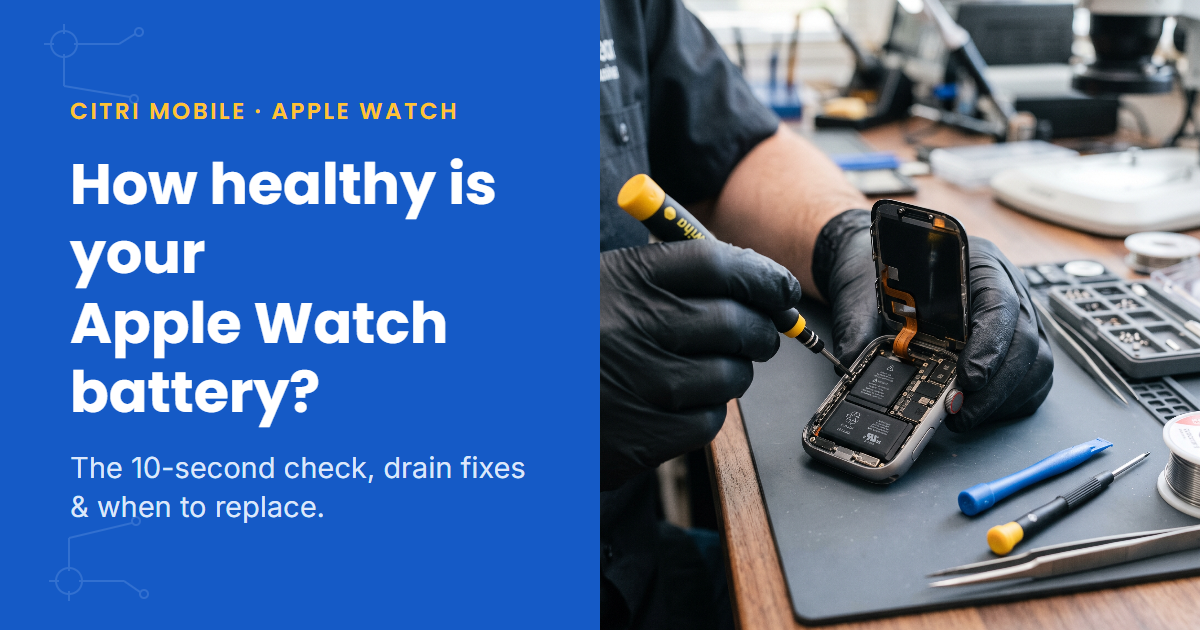
One thing from the bench worth knowing: the most common battery failure we see doesn't look like a battery problem at all. The screen starts lifting at one edge, and owners come in asking to have the "loose screen" reglued. Almost always the display is fine. The battery underneath has swollen and is pushing it up. If your watch face is lifting, stop charging it and bring it in; regluing a screen over a swollen cell just traps the problem.
At Citri Mobile, an Apple Watch battery replacement with quality parts starts from $50 depending on series, with live per-model prices on our Apple Watch repair page. Prices are nett.
Get your Apple Watch battery checked in Singapore
Citri Mobile has four branches: People's Park/Chinatown, Tampines, Yishun and Jurong Point, open 11am–9pm daily. Every repair carries a 30-100 days warranty and your data stays untouched. Walk-ins are welcome, but message or call +65 9456 6455 first so we can confirm the battery for your series is in stock.
Apple Watch battery health: FAQs
- How long does an Apple Watch battery last?
Per charge, Apple rates most models at around 18 hours of typical use, and the Ultra at roughly double that. As for lifespan, the battery is designed to keep up to 80% of its capacity through 1,000 complete charge cycles, which for daily wearers lands around the three-year mark before the fade gets annoying.
- What does 80% battery health mean?
The battery now holds 80% of the charge it held new, so an 18-hour watch becomes a 14-hour watch or so. It's the threshold Apple itself uses for battery service, and the point where a replacement stops being optional if you want the watch to last a full day.
- Why does my Apple Watch die overnight?
If you wear it to bed for sleep tracking, a battery below 80% often can't cover a full day plus a night. Check Battery Health first. If capacity looks fine, look at Always-On display and background refresh, or simply charge it during your shower instead of skipping charges.
- Can an Apple Watch battery be replaced?
Yes. The case is sealed and the only way in is through the glued-on display, which is why DIY attempts so often end with a cracked screen on top of a tired battery. Apple offers battery service, free under AppleCare+ below 80% capacity, and independent shops like ours replace them with quality parts.