Tips & Guides
Why Your Phone Won’t Turn On and How to Fix It
In this article
Few things are as frustrating as a phone that refuses to turn on, especially when you rely on it for everything from work to staying connected with loved ones. At Citri Mobile, we encounter this issue daily through our phone repair services in Singapore. Drawing from our expertise, we’ve compiled the most common causes, ranging from minor glitches to more serious faults, along with troubleshooting steps to help you revive your device.
Before assuming the worst, try these fixes. And if your phone still won’t power on, this guide will help you determine whether you need our professional iPhone repair, Samsung phone repair, or Google Pixel repair in Singapore.
Common Reasons Your Phone Won’t Turn On
1. Battery Issues
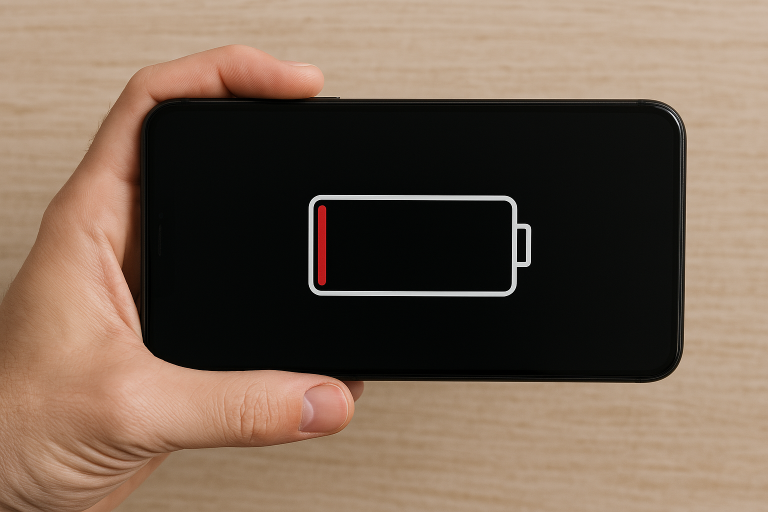
One of the most common reasons a phone won’t turn on is a drained or faulty battery. If your device was acting strangely before shutting down, such as draining too quickly or shutting off unexpectedly, the battery might be the culprit.
How to fix it:
- Charge your phone using an original charger and cable. Leave it plugged in for at least 30 minutes before attempting to turn it on.
- Try a different charger or power outlet to rule out charging issues.
- Check for damage, if the battery is swollen, do not attempt to charge it. Swollen batteries are a safety hazard and require professional replacement.
2. Software Glitches and System Crashes
If your phone screen remains black but vibrates, makes sounds, or flashes a logo, the software may have crashed. This can happen due to a failed update, a rogue app, or system overload.
How to fix it:
- Force restart your phone:
- iPhone (Face ID models): Press and release Volume Up, press and release Volume Down, then press and hold the Power button until the Apple logo appears.
- iPhone (Home button models): Press and hold the Home and Power buttons together until the Apple logo appears.
- Samsung phones: Press and hold Volume Down + Power button for about 10-15 seconds.
- Google Pixel phones: Press and hold the Power button for at least 30 seconds.
If this works, check your software updates and clear unnecessary apps to prevent future crashes.
3. Water or Physical Damage
Dropped your phone or exposed it to water recently? Even if there’s no visible damage, internal components may have been affected.
How to fix it:
- For water damage:
- Turn off the device immediately if it’s still on.
- Do NOT charge or attempt to power it on.
- Wipe it dry and place it in a dry, ventilated area. Some people use silica gel packets, but avoid using rice, as small particles can enter the charging port.
- Seek professional phone repair in Singapore as soon as possible.
- For physical damage:
- If the phone is cracked or bent, internal components may have been displaced. A Citri Mobile repair technician can assess whether the phone needs screen replacement or motherboard repairs.
4. Charging Port or Power Button Failure
A faulty charging port or power button could prevent your phone from turning on. If you notice that your charger isn’t making a firm connection or you have to press the power button multiple times, this could be the issue.
How to fix it:
- Clean the charging port with a soft brush or compressed air to remove dust and lint.
- Try wireless charging (if supported) to determine whether the issue is with the charging port.
- Check if the power button is physically stuck, if it doesn’t click properly, you might need a phone repair service in Singapore.
5. Corrupted Operating System or Boot Loop
If your phone turns on but gets stuck on the logo screen or keeps restarting, the operating system may be corrupted. This can happen after an interrupted update or due to malware.
How to fix it:
- For iPhone: Try putting your device into Recovery Mode and restoring it via iTunes or Finder.
- For Samsung/Google Pixel: Boot into Safe Mode by holding the Power button and then pressing and holding Volume Down when the logo appears. If the phone starts in Safe Mode, an app may be causing the issue.
If these steps don’t work, you might need a full factory reset or professional software repair.
When to Seek Professional Phone Repair in Singapore
If your phone still won’t turn on after trying these troubleshooting steps, it’s time to seek professional help. Here are some signs you need expert repair:
- The battery is swollen or won’t hold a charge.
- Your phone suffered water damage.
- The screen is cracked or unresponsive.
- The charging port or power button is faulty.
- The phone is stuck in a boot loop or won’t update.
At trusted phone repair shops in Singapore, technicians can diagnose and fix issues related to hardware, software, and component failures. Many repair services offer same-day fixes for iPhone, Samsung, and Google Pixel devices, ensuring minimal downtime.
Conclusion
A phone that won’t turn on doesn’t always mean it’s dead for good. By following these troubleshooting steps, you may be able to bring your device back to life. However, if the issue persists, it’s best to consult a professional phone repair expert in Singapore to avoid further damage.
For fast, reliable iPhone repair, Samsung phone repair, and Google Pixel repair in Singapore, choose a repair shop like Citri Mobile with experienced technicians, quality replacement parts, and a warranty on services. A well-repaired phone ensures you stay connected without unnecessary stress.